There’s a line of research in human-computer interaction that is concerned with the question: where should be ideally place a UI in 3D environments? Close to the line of sight for high visibility? Close to the hand, to reach it immediately? Or off to the side, to avoid occluding the center view? Many potential goals can be come relevant.
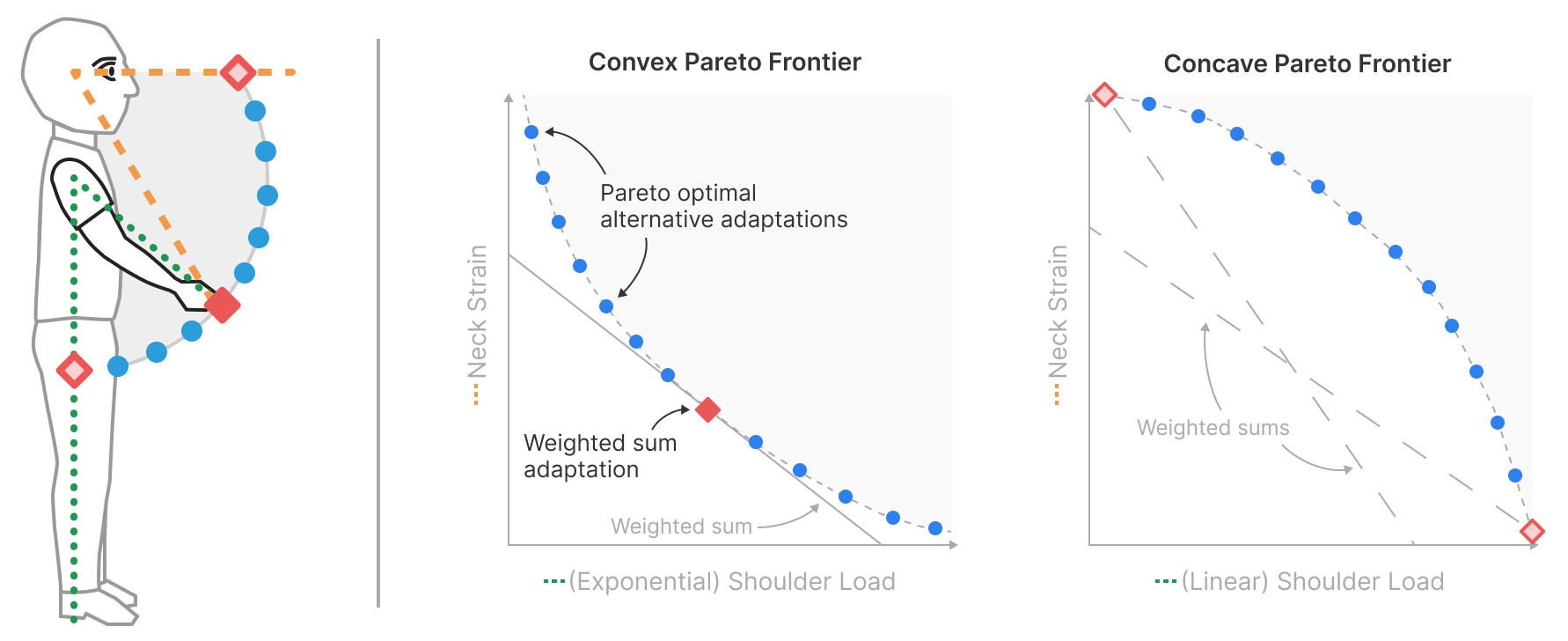
Our approach is to do this automatically, an online adaptation method where the a machine-learning model considers all of those objectives and spits out the ideal one. There can be many ideal one’s, on the “Pareto” front, as the user’s intentions may not be fully captured. For this reason, our approach is to suggest all those ideal suggestions and then let the user choose the preferred placement.
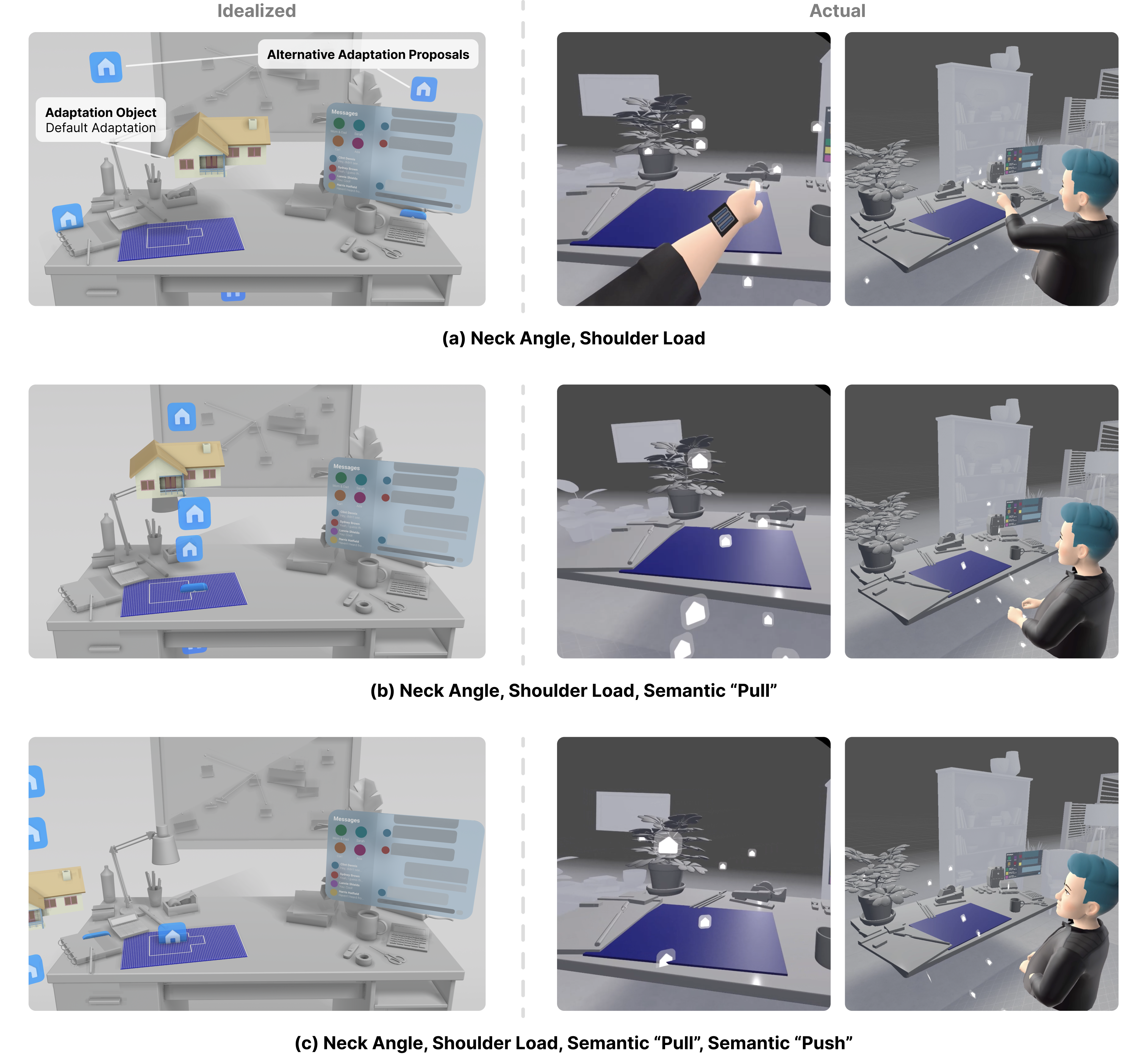
Consider an architect’s office where various office supplies and desk accessories are scattered across a user’s workspace. They decide to open a 3D viewer to inspect the CAD model for their current design project. Since both the user’s environment and their current activities pose challenging contextual demands on the appropriate positioning of the model viewer, adaptations are required. The true Pareto frontier originally spans from the user’s waist to their eye level, and the system then displays proposals across the interaction space.
Depending on their needs and preferences, the user may choose a proposal that lies close to the physical blueprint, taking advantage of the semantic association between the two objects, or may, for example, choose a position closer to eye level to spread their application windows out across the interaction space. Even when the semantic criteria are not included in the optimization objectives, users can select adaptation proposals near preferred regions of the interaction space and further adjust them as needed. Here’s the illustration for this example, with three different constellations of objectives.
Here’s a video summary of the paper:
More info: doi, pdf, videopreview, fullvideo
 Ken Pfeuffer