This paper has been published at the ACM Symposium on Spatial User Interaction 2023 in Sydney, Australia, and received a Best Paper Honorable Mention Award!
Background
One-handed interaction has become a ubiquitous aspect of our daily lives, primarily through the use of smartphones. However, as augmented reality (AR) smartglasses and mobile head-mounted displays (HMDs) become increasingly prevalent, it’s crucial to explore how we can design UIs for interaction as efficiently as smartphones. Interestingly, science fiction has introduced numerous innovative concepts that offer a “freehand” alternative to a smartphone.

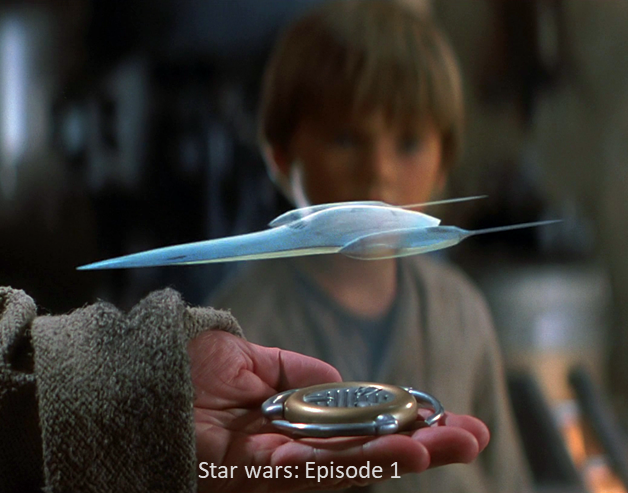


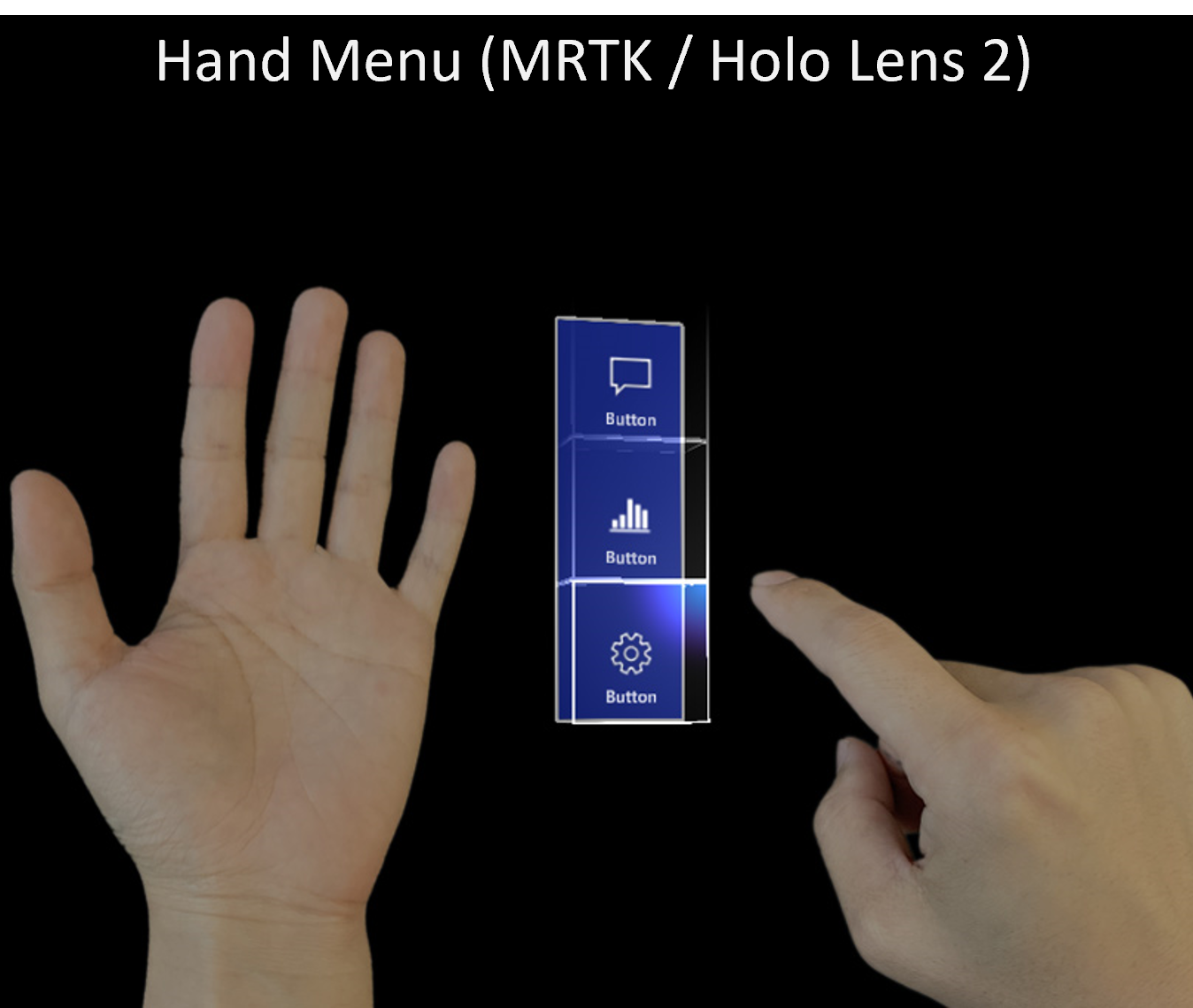
Part of these functionalities are possible with current AR devices. For instance, the Microsoft HoloLens team has introduced a range of AR UI components within the Mixed Reality Toolkit (MRTK). Notably, there’s the Hand Menu, a virtual UI element that attaches to and moves with the user’s hand, specifically designed for asymmetric two-handed interactions.
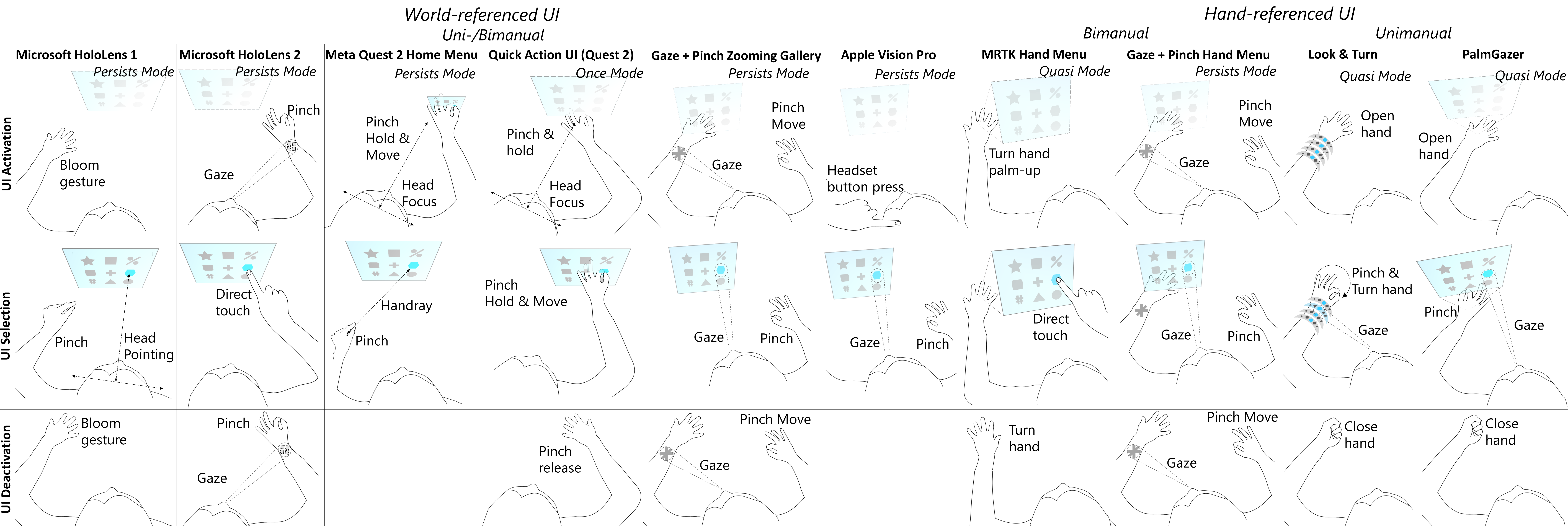
In the earlier version, HoloLens 1 included a “bloom” gesture to summon the device’s main menu, positioning it in the world-fixed space. Meanwhile, various Meta Quest devices offer a one-handed menu called the Universal Menu for quick actions. This menu is initially positioned at the user’s hand and then anchored to the world, enabling one-time actions through a pinch-drag gesture.
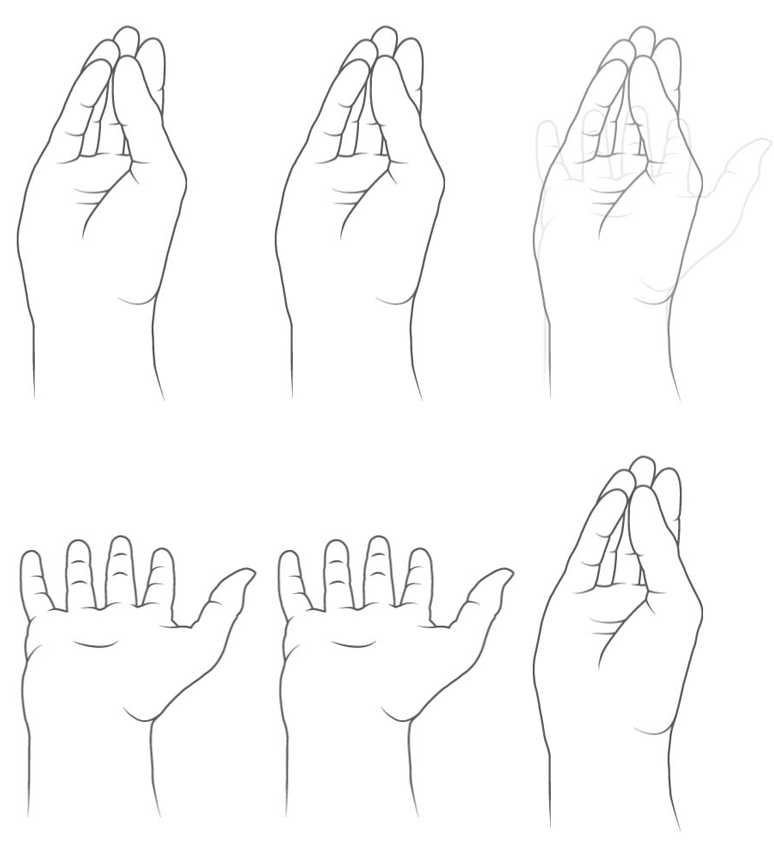
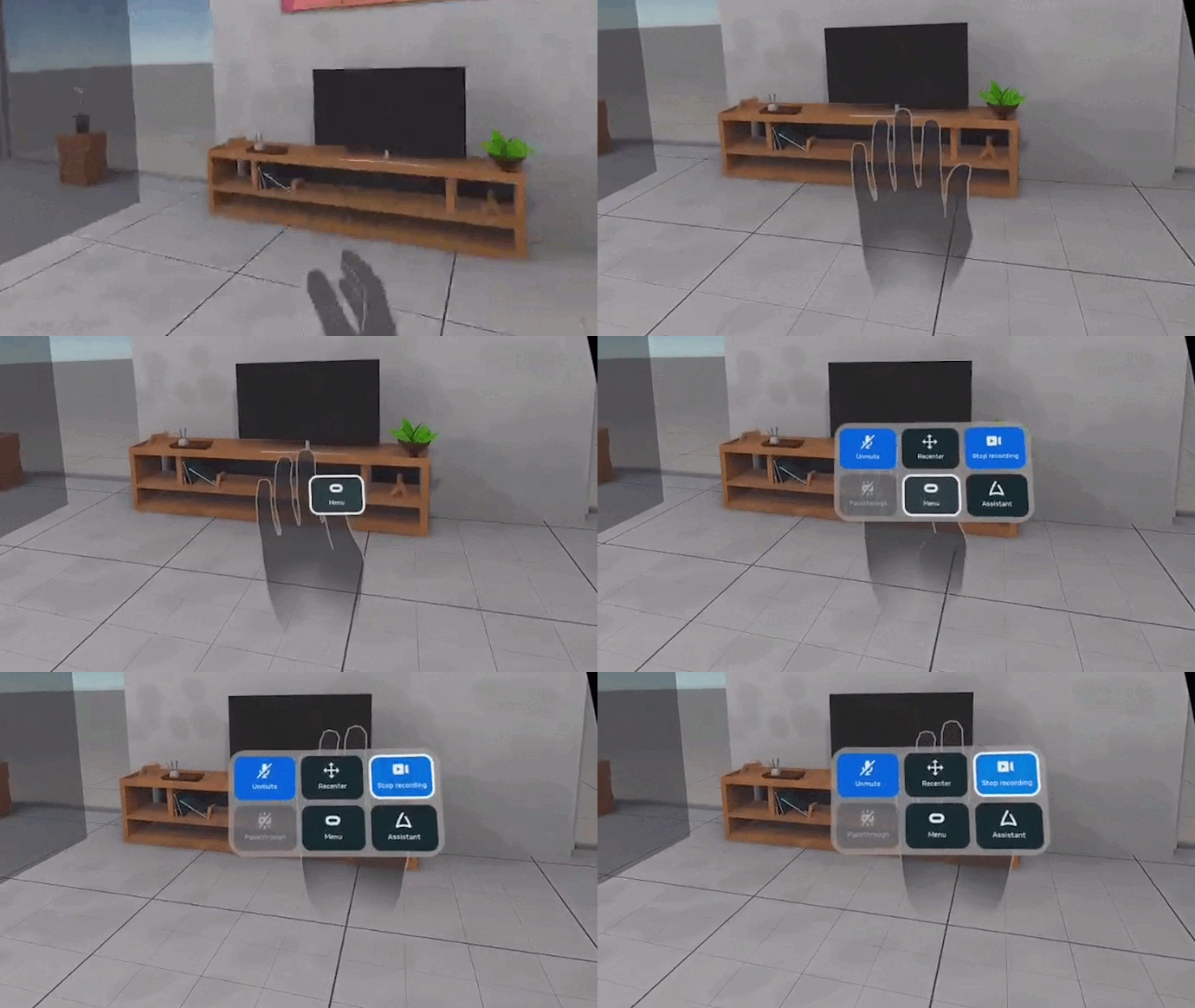
Our previous research focused on Gaze + Pinch interaction, which we presented at the same ACM SUI conference six years ago. This research laid the foundation for integrating eye-tracking to enhance gestural UI interactions, a concept soon to be found in the Apple Vision Pro HMD, but also partly already there, e.g., in the Holo Lens 2. In the scientific literature of the human-computer interaction field, a variety of UI concepts were introduced.
Below, you’ll find an overview of selected devices and papers, with a focus on the design of UI activation and selection methods tailored for gestural UIs. It shows all the differences among the HMDs, and the gab that our work aims to explore (at the right).
PalmGazer
PalmGazer is an explorative UI concept for one-handed interaction in AR. By seamlessly blending hand and eye tracking technologies, PalmGazer enables users to spontaneously access their applications on the go. The central idea is to unify UI tasks of activation, selection, and navigation.
- ACTIVATION: It starts with the user activating the UI by a palm-open gesture that summons a hand-attached home menu. Hereafter they are free to adjust the UI position by hand to place it mid-air as desired, as the UI remains active as long as the palm is opened. The user closes their hand to disengage the UI at any moment of time, facilitating the notion that it is readily available and easily dismissable at will.
- SELECTION: Instead of then engaging a second hand, the interaction design is fully tailored to the same hand — via pinch gestures while the palm is opened. To select an object in the menu, eye-hand input is employed in form of gaze for target acquisition and a quick-release pinch gesture for confirmation. This allows for compound interactions where users can rapidly dovetail palm-open, look, and pinch for a rapid one-off action.
- NAVIGATION: Navigation commands, e.g., scrolling, extend the UI beyond a page. Here performed by a pinch dragging gesture in the respective direction, it involves a design conflict. Moving the hand for scrolling inevitably means the handheld UI is moved in its place. We address this by a peephole-inspired UI behaviour that retains spatial relationships of content in space.
All three techniques may be effortlessly integrated into a compound system operation. A first key benefit is that the three techniques establish a coherent and simple input command language for one hand only- that lends itself to be as expressive as two-handed or non-hand-referenced UIs. A second key benefit is that the menu is always available and easily dismissable at will, allowing for spontaneous actions on the go.
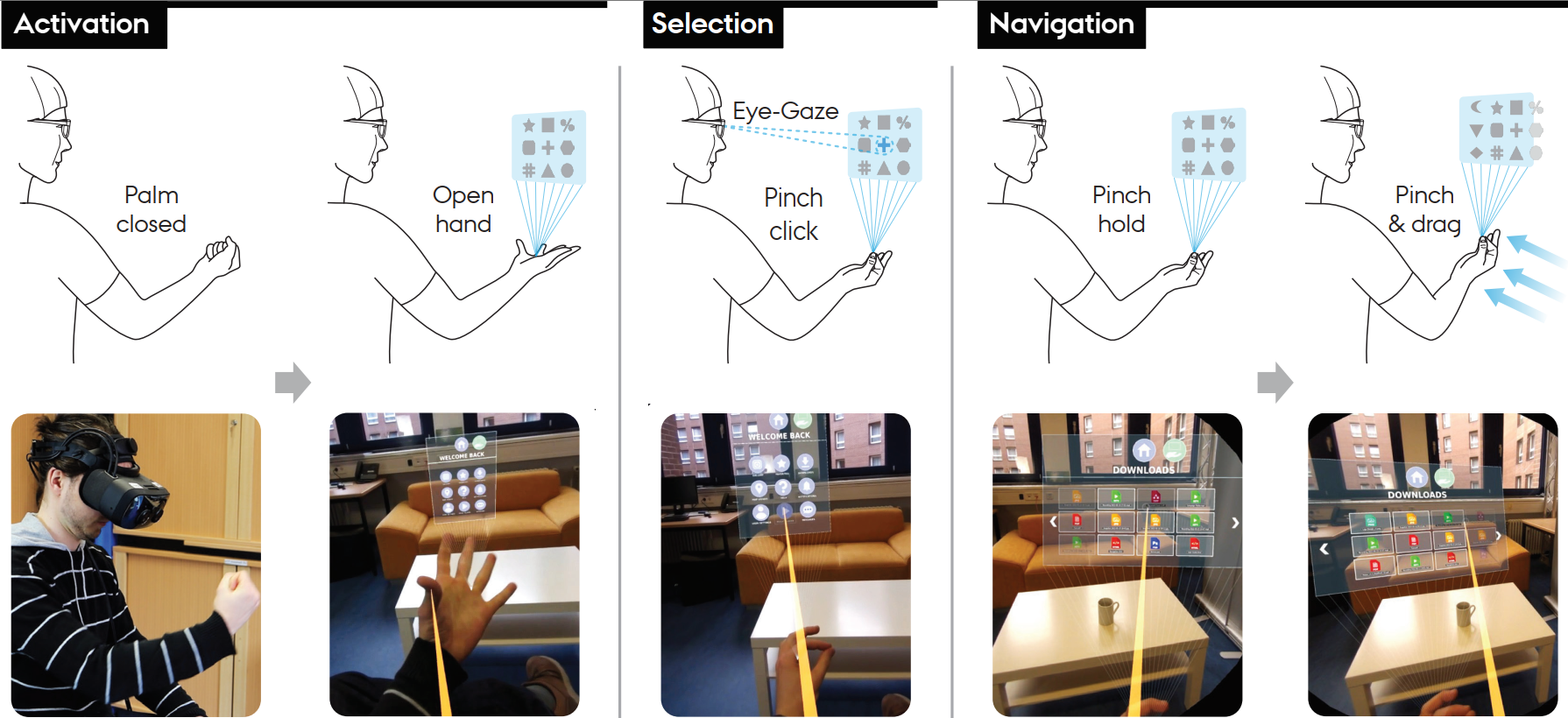
Here’s an example demo where the user is having a cup of coffee and wants to spontaneously play a song with their AR music player. The orange ray is an indication of the user’s eye direction, only shown for demo purpose, but not in real use.
Head- and Hand-based Reference Frames
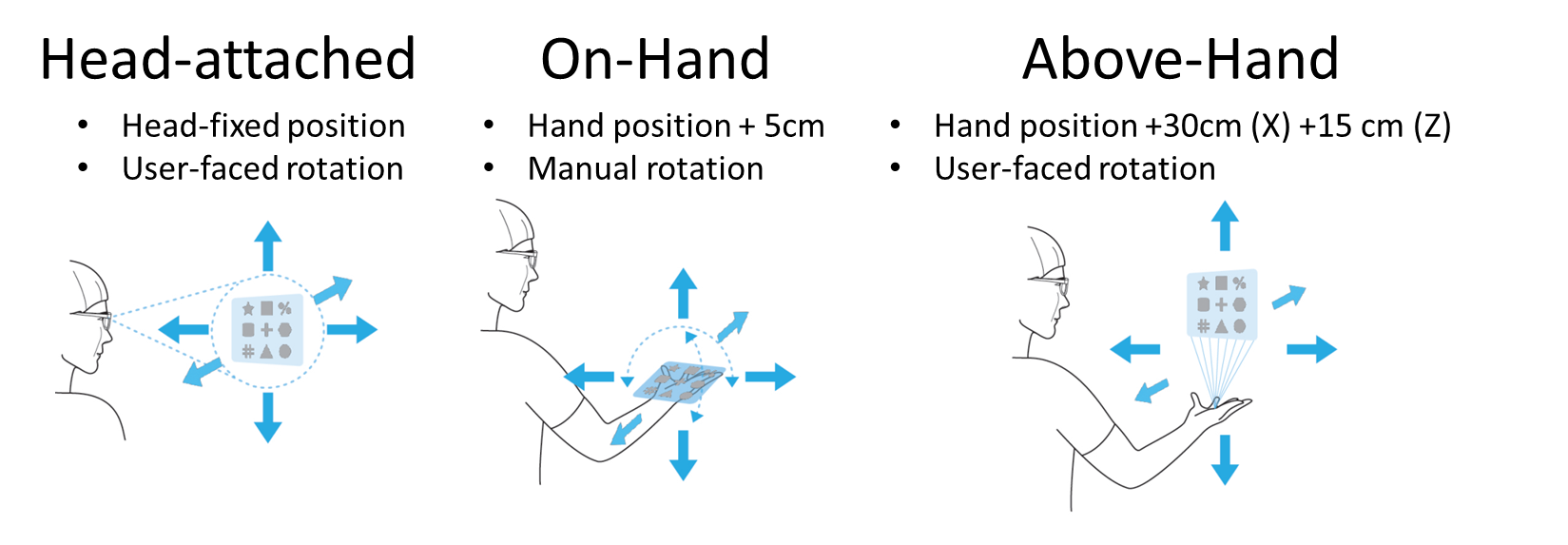
A core question is where the UI will be located after instantiation. The system supports three different reference frames around the user’s head and hand, each having its own set of advantages and drawbacks.
Head-attached is our baseline, as similar to world-locked UIs with the difference that it moves with the user. The UI appears in front of the user, at a fixed distance relative to the HMD’s position. However, an issue is that it always blocks the center of the user’s view.
The On-hand frame closely emulates the positioning of a smartphone, potentially rendering it an intuitive choice. Nonetheless, like smartphones, it necessitates users to either lower their gaze to the hand (potentially causing neck strain) or raise the hand into their line of sight (potentially leading to arm and shoulder fatigue).
Lastly, Above-Hand represents a middle ground. Here, the UI is positioned well above the user’s hand, allowing them to maintain their hand at waist level while still retaining adequate control. This kind of indirect control can of course amplify potential jitter from natural hand motion or technical hand tracking issues. But in principle, this avoids the issue of obstructing a fixed area in the field of view, which is a concern associated with the Head-attached variant.
Examples for mobile interaction with applications
We developed a set of application probes (UI skeletons) to get insights into more realistic use of the interaction concepts. In order to enable the set, we built a home menu similar to typical smartphone homescreens or the Holo Lens 2 UI. Users can start applications from there, and always get back to it using the top-level menu. Here, users have the convenience of launching applications and effortlessly returning to the top-level menu. What’s unique is that all menu buttons are activated through a Gaze + Pinch command.
Our experiments revolved around six distinct application UIs, with four notable examples showcased in the video below.
This included more advanced interactions like scrolling, manipulation, and zooming. Scrolling in our “Downlods” file explorer for example involves the UI challenge to resolve the conflict for using hand motion to both move the entire UI, and scroll the content. For hand-attached reference frames, we employed a peephole metaphor which reversed the scrolling direction in contrast to a non-handheld UI. One can see that scrolling works well in hand-attached variations (it works the same way with the On-Hand reference frame). Of course, each scroll command means the UI is moving around, which can be distracting, which we hope to resolve in future through a more adaptive UI stabilisation.
Another interesting avenue we explored is the navigation into depth. We tested this with an image gallery application, that naturally involves several hierarchies that users can traverse (Folders – images – one image). Here the eyes will select the folder or image, depending on which hierarchy level the user currently is. Then, a pinch-dragging forward allows the user to traverse one level deeper, whereas backward motion allows to return to the prior level. This makes it possible to do standard actions one after another, but also to continuously use one pinch gesture to traverse many levels of the hierarchy to avoid repetitive pinching. An example is shown below.
The limit for one-handed interaction with PalmGazer
We designed another application that involves “Pan & Zoom”, the control of multiple degrees-of-freedom at the same time using the hand. This was an example where we wanted to explore an extreme of singlehanded interaction effort, and what are the limits of the human manual capacities.
The Map Viewer is in essence our interpretation of “Google Maps” for the PalmGazer system. As we experimented in our prior work on Gaze + Touch interaction for map navigation on 2D UIs (Gaze-touch, Gaze on tablets), we employed a model of using the gaze direction to define the zooming pivot. What’s new is that a pinch-dragging gesture will adjust the zooming in/out manipulation via forward/backward motion. At the same time, users can move the hand left/right/up/down to perform panning (without gaze). Furthermore, in the hand-attached UI (On-hand, Above-hand), the UI is attached and moves with the hand, adding extra control degrees-of-freedom to the equation.
User Evaluation
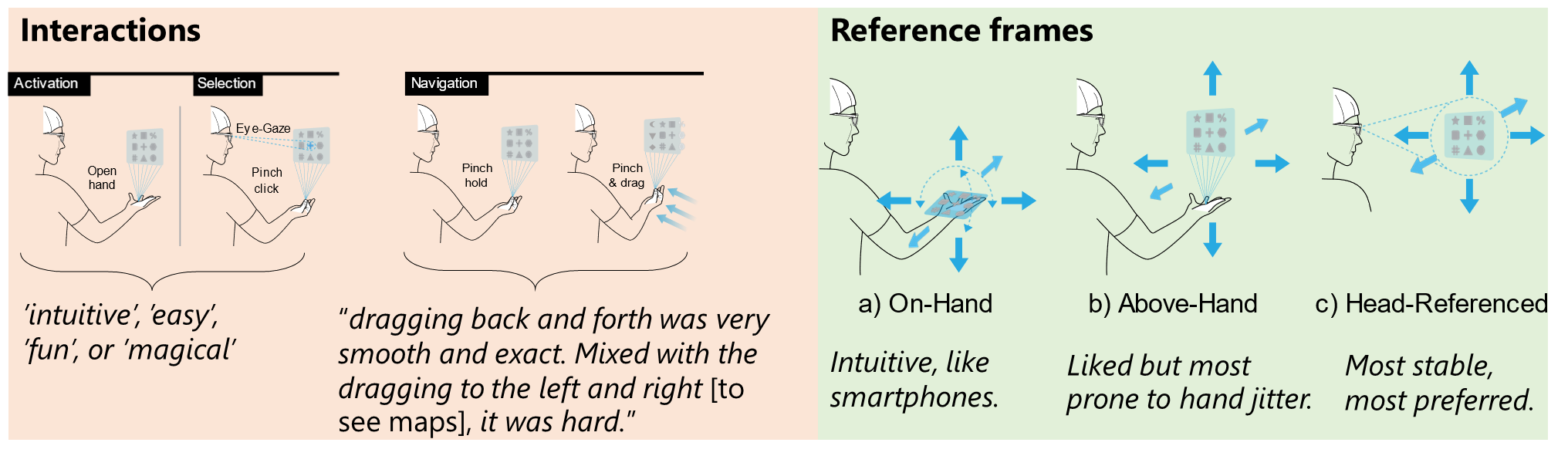
In a study, we let 18 users experience the system (for details see the paper). A lot of hand and eye tracking issues mudded the findings, thus they provide an initial assessment and directions to further explore, but not a clear conclusion.
Overall we find that the UI concept was, after a brief training phase, easy to use for the study participants. Interestingly, the ability to move the UI farther or closer to the eyes facilitates eye-tracking interactions as users can dynamically resize the visual target size. With regards to expressiveness, we find that all basic actions for selection and navigation are suitable, while higher degrees-of-freedom tasks become too challenging with one hand and gaze only. These findings contribute to the prior knowledge by proposing a novel approach to the class of fully one-handed interaction, and provision of a better understanding of the merits and limitations across a variety of usability factors.
More information
More information about the interaction concepts, implementation details, and a user evaluation insights can be found in the paper.
Abstract: How can we design the user interfaces for augmented reality (AR) so that we can interact as simple, flexible and expressive as we can with smartphones in one hand? To explore this question, we propose PalmGazer as an interaction concept integrating eye-hand interaction to establish a singlehandedly operable menu system. In particular, PalmGazer is designed to support quick and spontaneous digital commands– such as to play a music track, check notifications or browse visual media – through our devised three-way interaction model: hand opening to summon the menu UI, eye-hand input for selection of items, and dragging gesture for navigation. A key aspect is that it remains always-accessible and movable to the user, as the menu supports meaningful hand and head based reference frames. We demonstrate the concept in practice through a prototypical mobile UI with application probes, and describe technique designs specifically-tailored to the application UI. A qualitative evaluation highlights the system’s interaction benefits and drawbacks, e.g., that common 2D scroll and selection tasks are simple to operate, but higher degrees of freedom may be reserved for two hands. Our work contributes interaction techniques and design insights to expand AR’s uni-manual capabilities.
Ken Pfeuffer, Jan Obernolte, Felix Dietz, Ville MÄKelÄ, Ludwig Sidenmark, Pavel Manakhov, Minna Pakanen, and Florian Alt. 2023. PalmGazer: Unimanual Eye-hand Menus in Augmented Reality. In Proceedings of the 2023 ACM Symposium on Spatial User Interaction (SUI ’23). Association for Computing Machinery, New York, NY, USA, Article 10, 1–12. https://doi.org/10.1145/3607822.3614523, PDF
 Ken Pfeuffer